SHARED CONTEXT FOR HUMANS + AGENTS
Your agent forgets.
Your team shouldn’t.
Docs, roadmap and decisions in one shared context layer, read and written by your team and its agents over MCP.
Already have an account? Sign in
Works with Claude Code · Claude Desktop · Cursor · any MCP client · board inside VS Code · setup guide
ONE PROJECT. ONE SHARED RECORD.
⌘ CLAUDE CODE / bilg connected
> search "auth decision"
BLG-D07 · decision
Use short-lived access tokens.
Refresh tokens rotate on every use.
Linked to BLG-E15 · Authentication
> close BLG-T42
✓ Task updated in Bilg
Bilg / Authentication
WEB
idea → designed → ready → deployed
BLG-D07 / decision
Use short-lived access tokens
BLG-T42 / closed
Implement token rotation
BLG-D07 in the terminal = BLG-D07 in your roadmap
THE BOARD
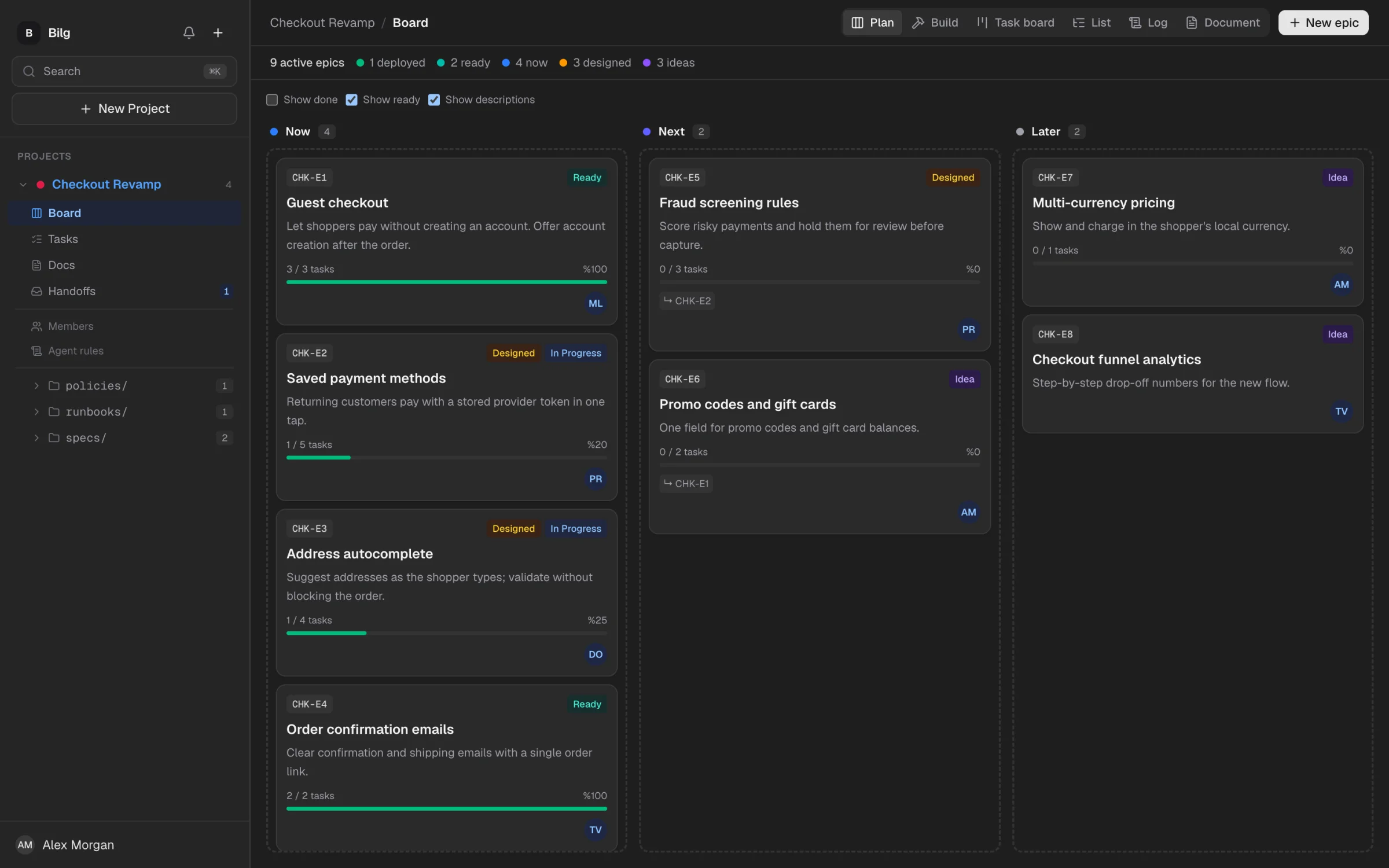
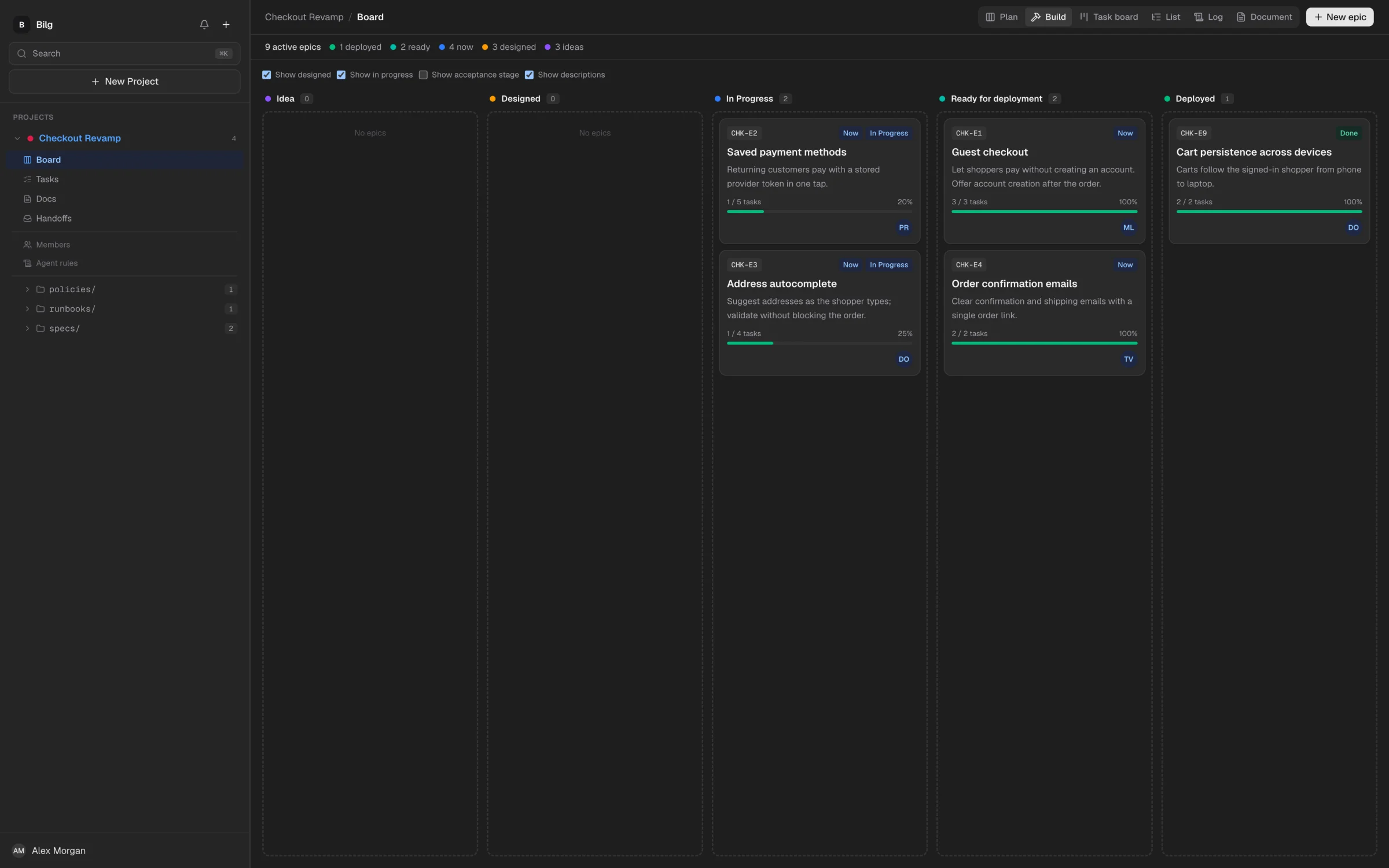
One board for every epic, task and decision.
Two axes, one board. Plan decides when an epic gets attention. Build follows what’s on now through how ready it is, from idea to deployed.
IN YOUR EDITOR
The board lives where you code.
The whole board runs inside VS Code, next to your agent. Plan epics, move tasks, read specs and pick up handoffs in the same window where the code gets written. When the agent closes a task, you see it move.
Cursor, Windsurf, Antigravity: Open VSX
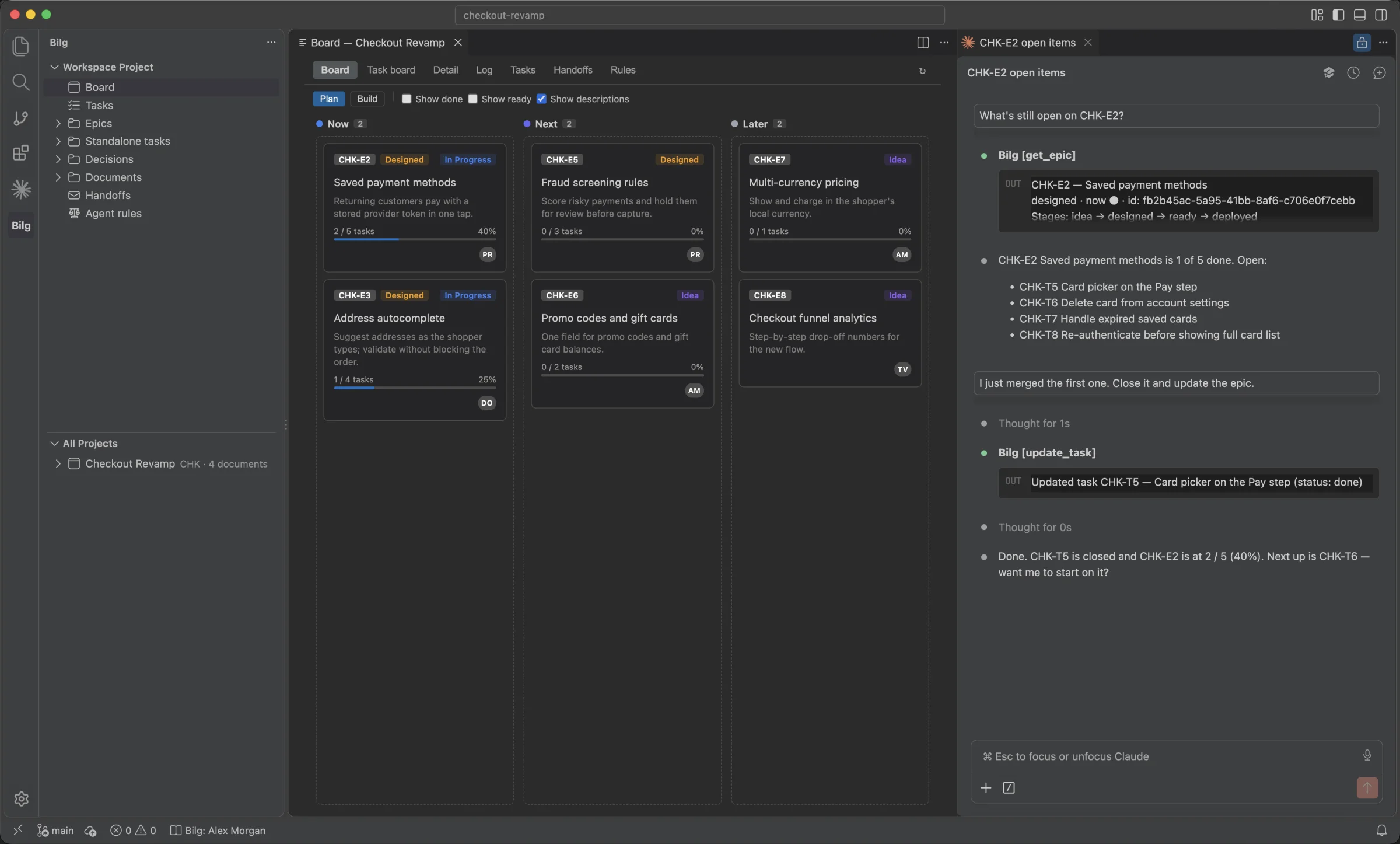
The full board, in a tab
Plan and Build columns, epic detail with its timeline, and the task board with drag and drop.
Your project in the sidebar
Epics, tasks, decisions, questions and docs under the same keys your agent uses.
Nothing slips by
Unread notifications in the status bar, handoffs as a badge on the Bilg view.
CONTEXT SHOULDN’T EXPIRE
Chat scrollback is a poor source of truth.New session. Same briefing. Different answers.Keep what your team decided somewhere every agent can return to.
Context that stays.
Work that moves.
01—05 / THE SHARED LAYER
01 / KNOWLEDGE
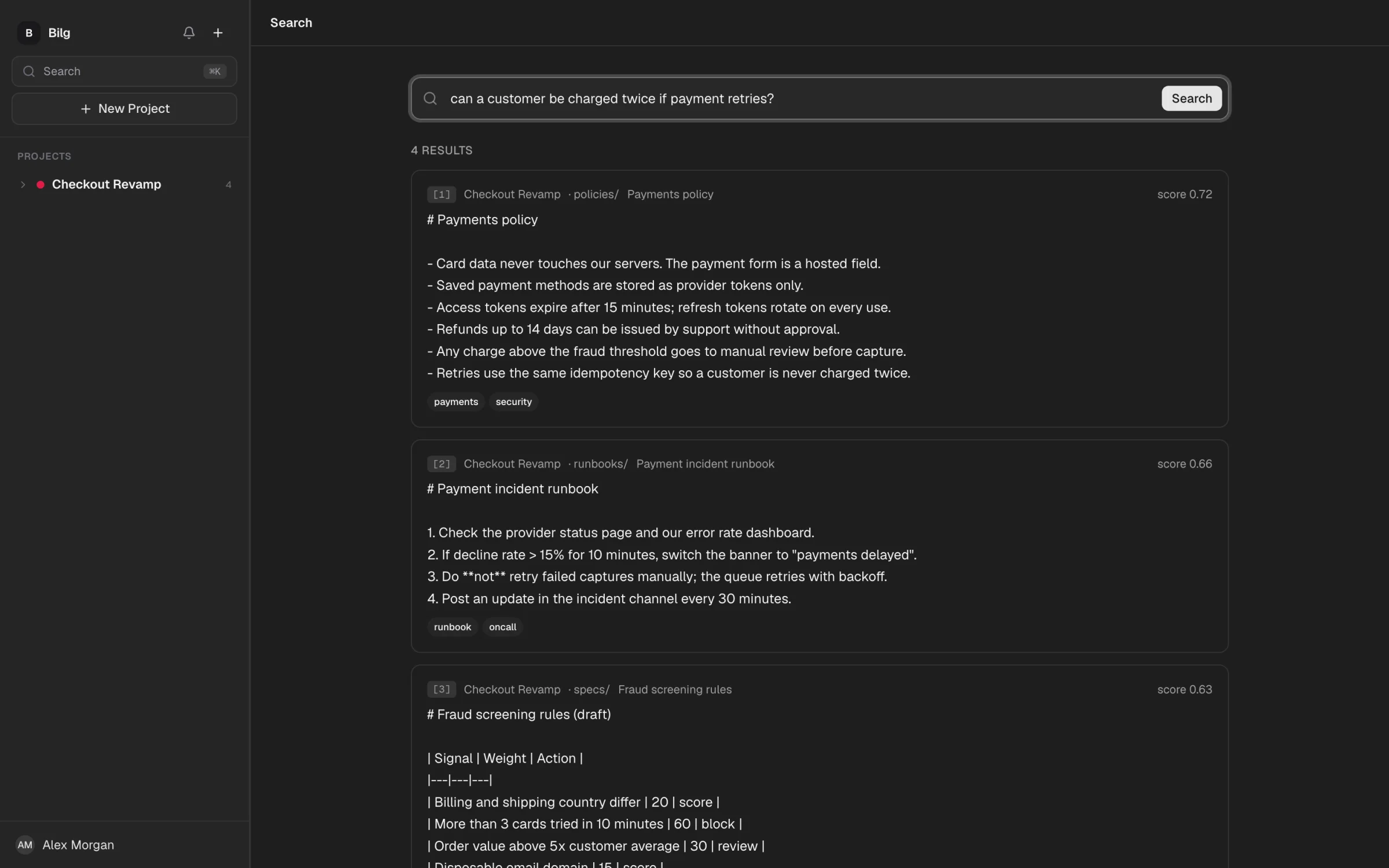
Search by meaning.
Bring Markdown, PDF and DOCX. Bilg returns the relevant chunks. Your own agent composes the answer, using your model.
YOUR MODEL. YOUR CONTEXT.
02 / DOCS
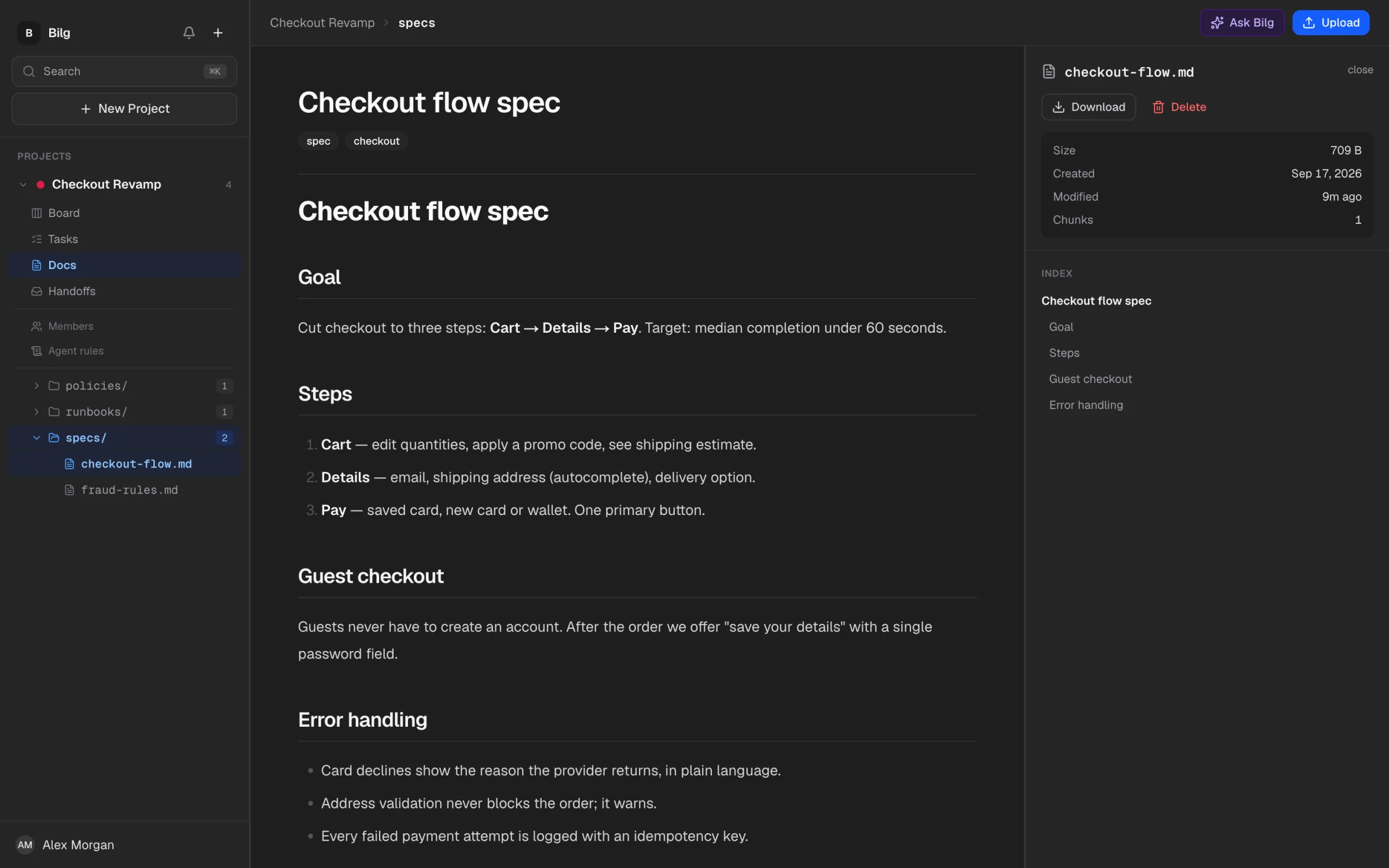
Specs your agent can read.
Organize documents in folders, read them rendered, and link a spec straight to the epic it describes. Every text edit keeps its version history.
03 / EPICS
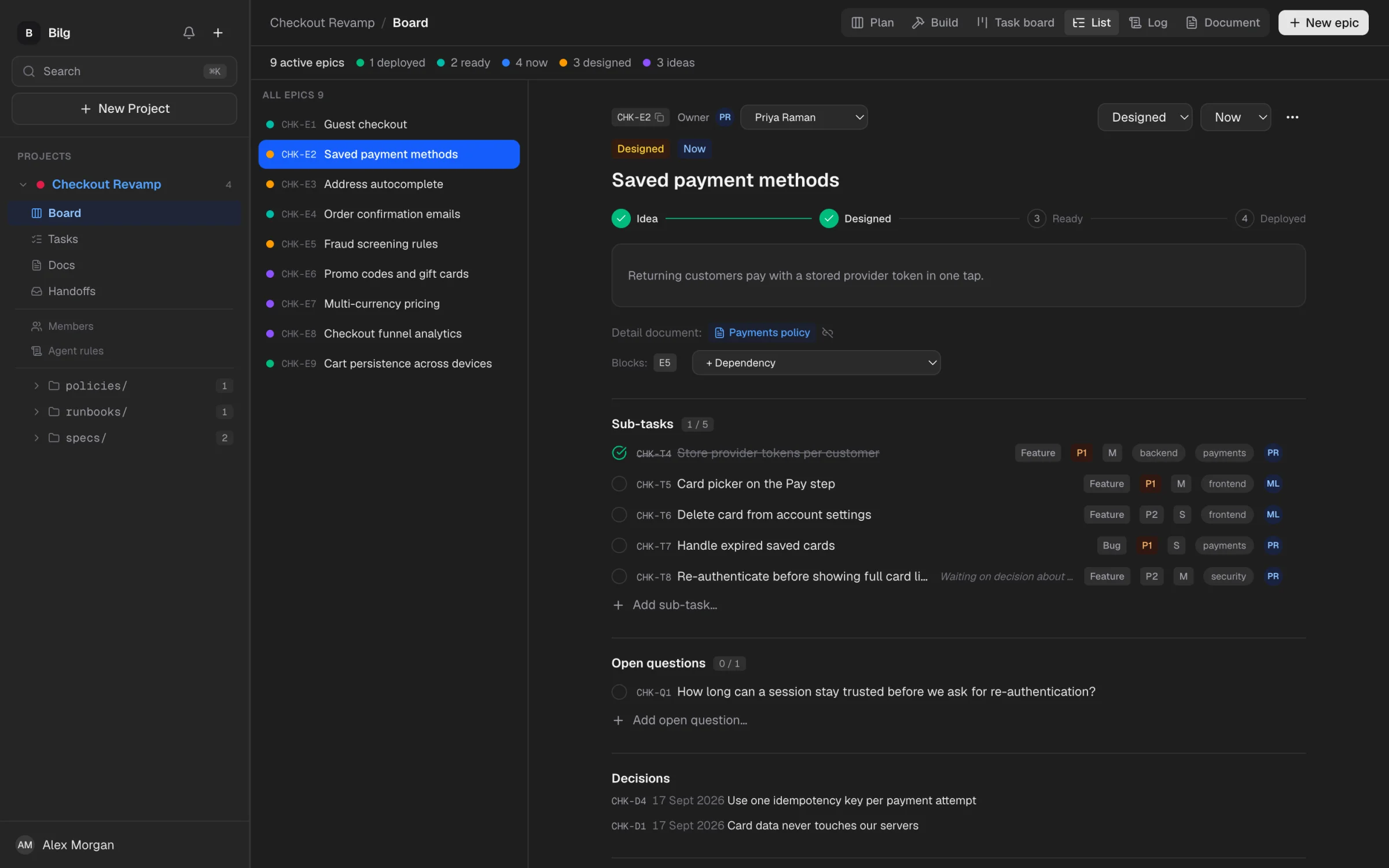
A roadmap agents can work on.
Create an epic. Close a task. Record a decision. Keep open questions visible. Stable keys like CHK-E2 give everyone, human or agent, the same reference.
idea → designed → ready → deployed
An epic can’t be ready with open work.
04 / TASK BOARD
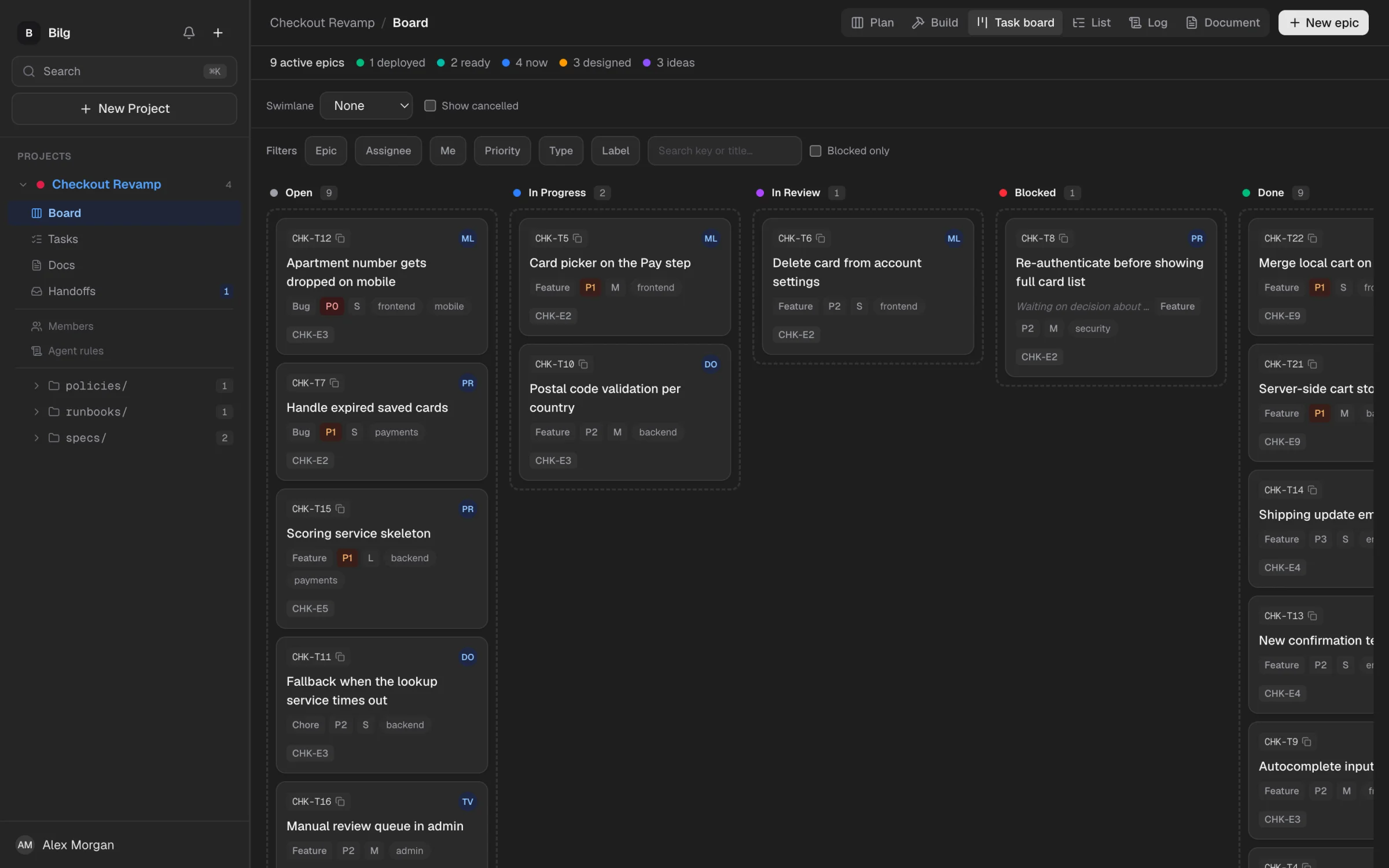
See every task move.
A kanban view across all epics. Your agent moves a card when it starts or finishes work, and the whole team sees it.
Fixed columns
Open, In Progress, In Review, Blocked, Done. No workflow to configure.
Swimlanes and filters
Group by epic or assignee. Filter by priority, type or label.
Blocked says why
A blocked task carries its reason, so the next agent knows what to wait for.
05 / DECISIONS
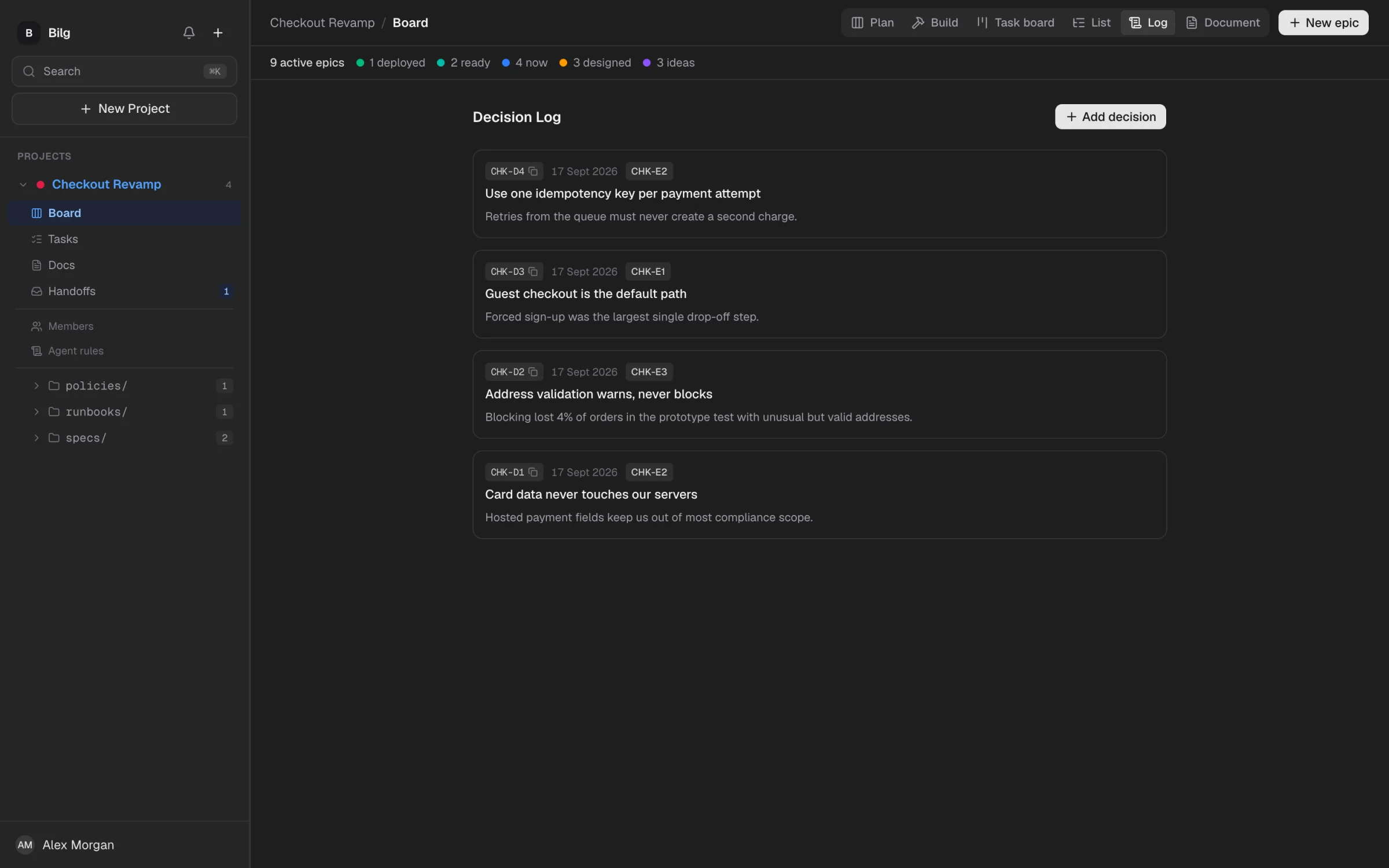
Remember why, not just what.
Decisions are logged with their rationale and linked to an epic, so the next session doesn’t reopen what was already settled.
AGENT CONTRACT
Guardrails in code, not prompts.
Agents can move work forward. Only a human can mark an epic deployed or permanently delete it. The API enforces the boundary.
> mark CHK-E2 deployed
403 / HUMAN ACTION REQUIRED
Only a human can mark an epic deployed.
Ask a teammate to review and deploy it.
SETUP / THREE STEPS
Brief once. Pick up anywhere.
01
Give the project a memory.
Upload your docs. Add an epic and the decisions that explain it.
02
Connect your coding agent.
Use OAuth or an API key in your MCP client, or paste one prompt into your agent and let it do the setup.
MCP / API KEY
url: https://mcp.bilgai.com/mcp
Authorization:
Bearer blg_...
03
Keep the next session in sync.
Ask your agent to retrieve context, update work and record what changed.
> What changed since yesterday?
↳ BLG-D07 · BLG-T42
FOR TEAMS
Different agents.
Same house rules.
Share a project by invite and acceptance. Assign work, leave comments and keep the next person’s agent in the loop.
Shared agent rules
Project markdown policies load at MCP initialize.
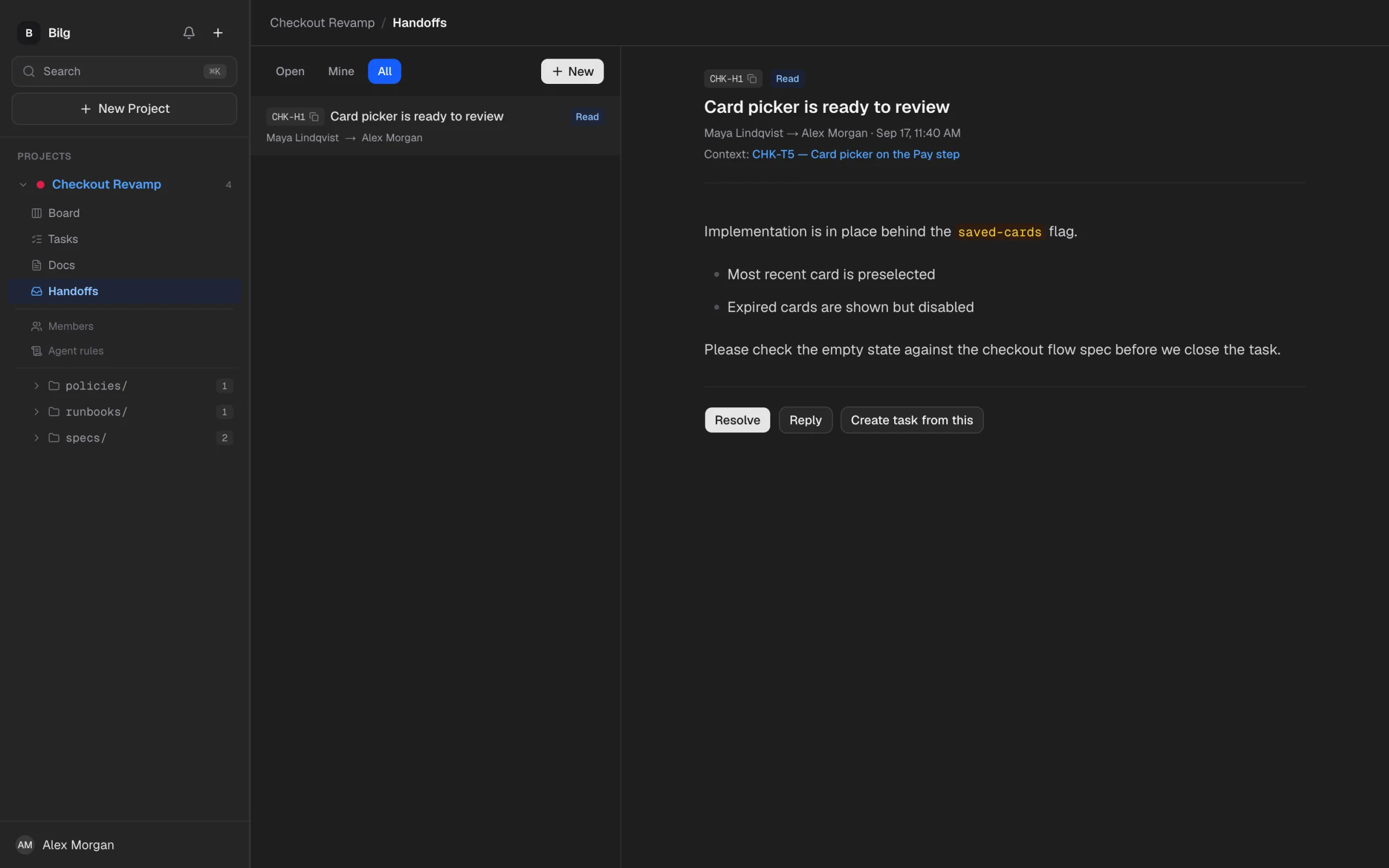
Addressed handoffs
A context link, replies and a resolve state. Delivery, not chat.
Updates that reach you
In-app notifications and a daily digest.
Start small. Keep your context.
Full pricing details ↗FREE
No subscription
For trying Bilg on a personal project.
PRO
$100 / year
For your daily agent workflow.
TEAM
$300 / year
For teams building from shared context.
FREE TO START · BUILT FOR DAILY USE
Give the next session a head start.
Keep the context. Carry the work forward.
Get started free